Review a saved bookmark, select a different point of reference on the timeline and/or create a new additional bookmark from the same timeline.
You can also change the bookmark into a sub-clip by marking an out point (see Sub-clips explained).
Create a new bookmark from an existing bookmark
-
Open your bookmark from the asset pane (Searching and viewing assets) or Asset viewer.
-
The bookmark opens, showing its marked point on the timeline and its timecode.
-
Move the marked point.
-
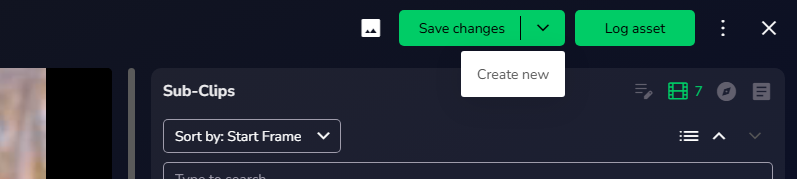
Select the arrow beside Save changes to show Create new:
-
Selecting Create new immediately creates an additional bookmark in the asset library, leaving the original bookmark unchanged. This is reflected in all the locations the bookmark is referenced in.
